

Phones for dental practices
Phones that
text back the caller you missedPhones that text missed callers back
FlossBooked is a dental phone system for US practices: your number stays, calls ring the desk and the staff app, and anyone your desk can't reach hears back by text within seconds.
- After-hours calls reach your on-call phone
- Your number stays

Live in 14 daysMonth to month, no setup fee
- Keep the number patients already have saved
- Calls and texts, one number
- Calls tracked by source
- Texts back missed callers
- Recordings and transcripts
You decide which phones ring for each call, what callers hear at lunch and where calls go after 6 p.m. Our team writes the phone tree with your office manager at setup, so each unanswered caller gets a text.
That patient books down the street
Each caller gets an answer
What happens on the line


Where calls ring
Answer from any phone you're near
One practice line rings at the counter, on a computer and in the app.


On the first ring, the screen shows the caller's name and their record: every text, form and booking. Your front desk says hello by name.
The office manager steps out for lunch and keeps the staff app on. Calls to the office number ring there on iPhone or Android, texts arrive in the same inbox, and a call back shows your office number, never a personal cell.
From any office computer, your front desk calls a patient from their record in the browser. Desk phones that support SIP get reconfigured for our lines and ring too.
Beyond the ring
What happens after a call goes unanswered
Calls nobody at the counter reaches still end in a text, a transcript or a booking.
Missed calls
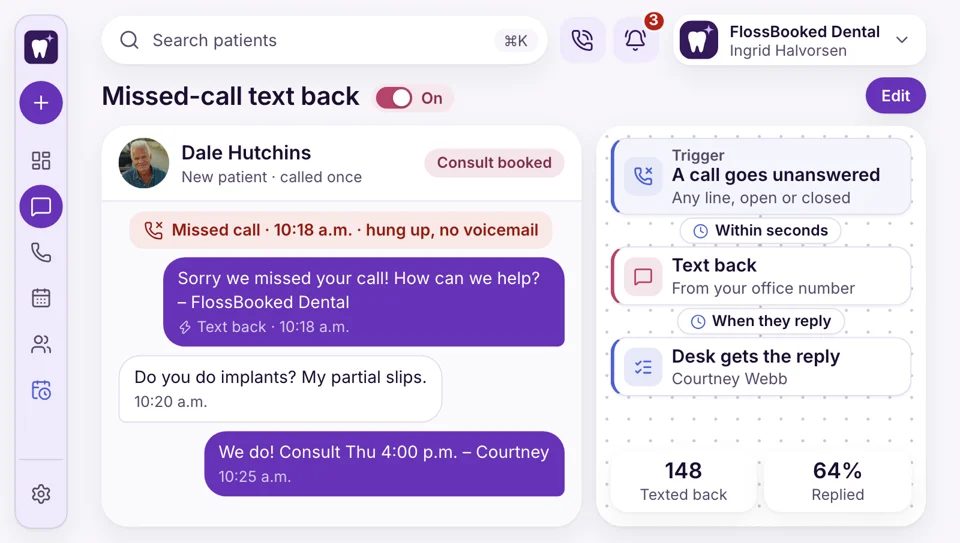
An unanswered call, answered by text
A caller who can't get through rarely leaves a message. With FlossBooked, the practice line texts them within seconds, and whatever they write back sits in the inbox for your desk.
- Patients reply when it suits them, by text
- Your desk sends back a time or the booking page
Lunch and evenings
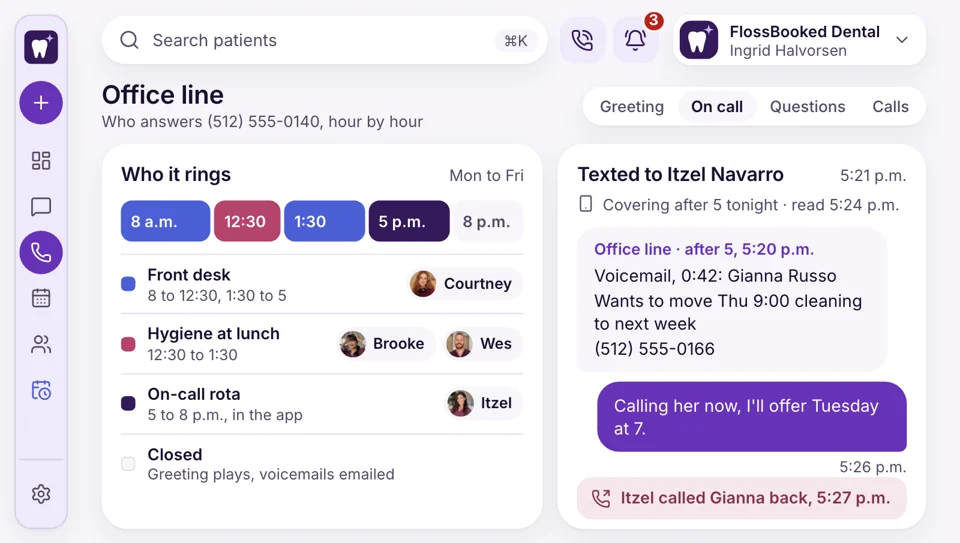
Hours you set for each line
The desk empties at 12:30 for lunch and again at 5. You choose what each hour does: ring the hygiene team, ring whoever covers in the app, or play a greeting and email the voicemails.
- Lunch calls ring whoever covers that day in the app
- After 5, callers hear your greeting and the emergency option
Call tracking
See which ad made the call
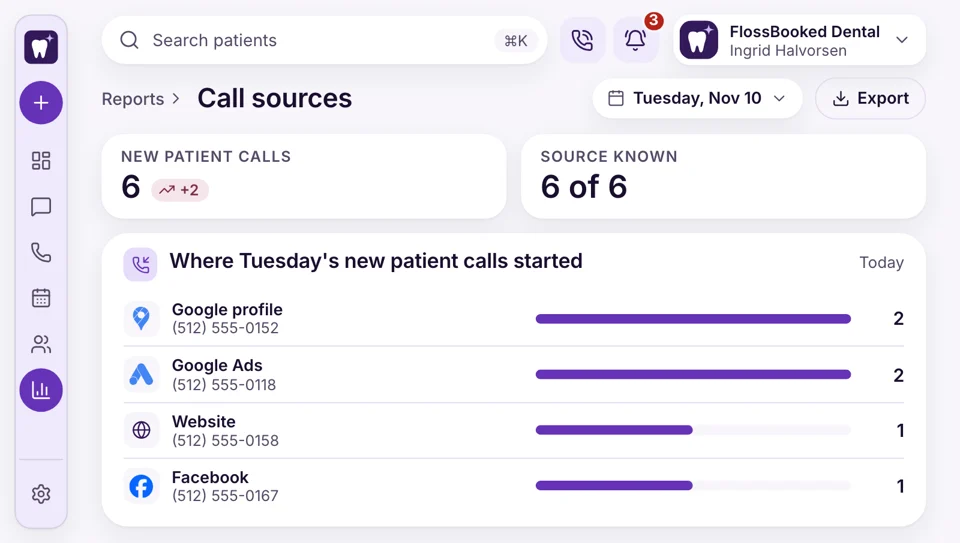
Six new patient calls came in Tuesday. Because Google, Facebook and your website ring through different tracking numbers, the call report shows where every call started.
- A call from Maps or any Facebook ad comes in on a separate number
- Calls by hour show when your desk needs a second person


Also included
- Every connected call recorded
- Ring groups by role
- Holiday and closed-day hours you set
- One-click calls to patients
- The office line sends texts too
- A phone app for the front desk
The caller's record opens before you say hello
Whitney Kessler calls on Tuesday at 8:05. Before your front desk picks up, the screen shows the name, the cleaning booked for Friday, the medical history signed last week and the text Whitney sent last night about parking.

Whitney Cleaning Friday 9:00, medical history signed, one unread text.
Incoming callYour phones work with
- Reports Which hours bring the most calls, month by month.
- Online booking Callers get your booking link.
- Patient texting Every call and text with a patient in a single thread.
- Reviews After a visit, a text asks the patient for a Google review.
- Your Google listing Your listing carries a tracked call button.
- Ads Every Google and Facebook ad carries a separate number, which shows the campaign behind each implant or new patient call.
- Clinical notes A draft note from each visit, ready to sign.
Walk us through your phone day
Tell us your lines, your desk phones and who covers lunch. We sketch your phone tree on the call. Every plan carries the whole thing, starting at $97 a month.


Picked up at last

Dr. Nathan P.Owner dentist, Cedar Hill Every adwith its own call countI used to guess which ad was working. Now each month I see the calls every ad brought in.
Lucia M.Front desk lead, Brightwater One textinstead of a hang-upWhen line two rings during a checkout, that caller gets our text. Most write back with what they need, and I answer once the patient leaves.

Dr. Andre K.Associate dentist, Elmwood Press 1for emergenciesAfter hours, press 1 rings my cell for real emergencies. Everything else waits as a transcript for the morning.

Tanya R.Office manager, Maple Grove Samenumber on the signPatients still dial the same number printed on our cards and our sign. Nothing changed for them.

Marco S.Hygienist, Northgate Our numberon recall callsBetween patients I call overdue recall patients from the app on my phone. Our practice number shows up, so they answer and book the cleaning.
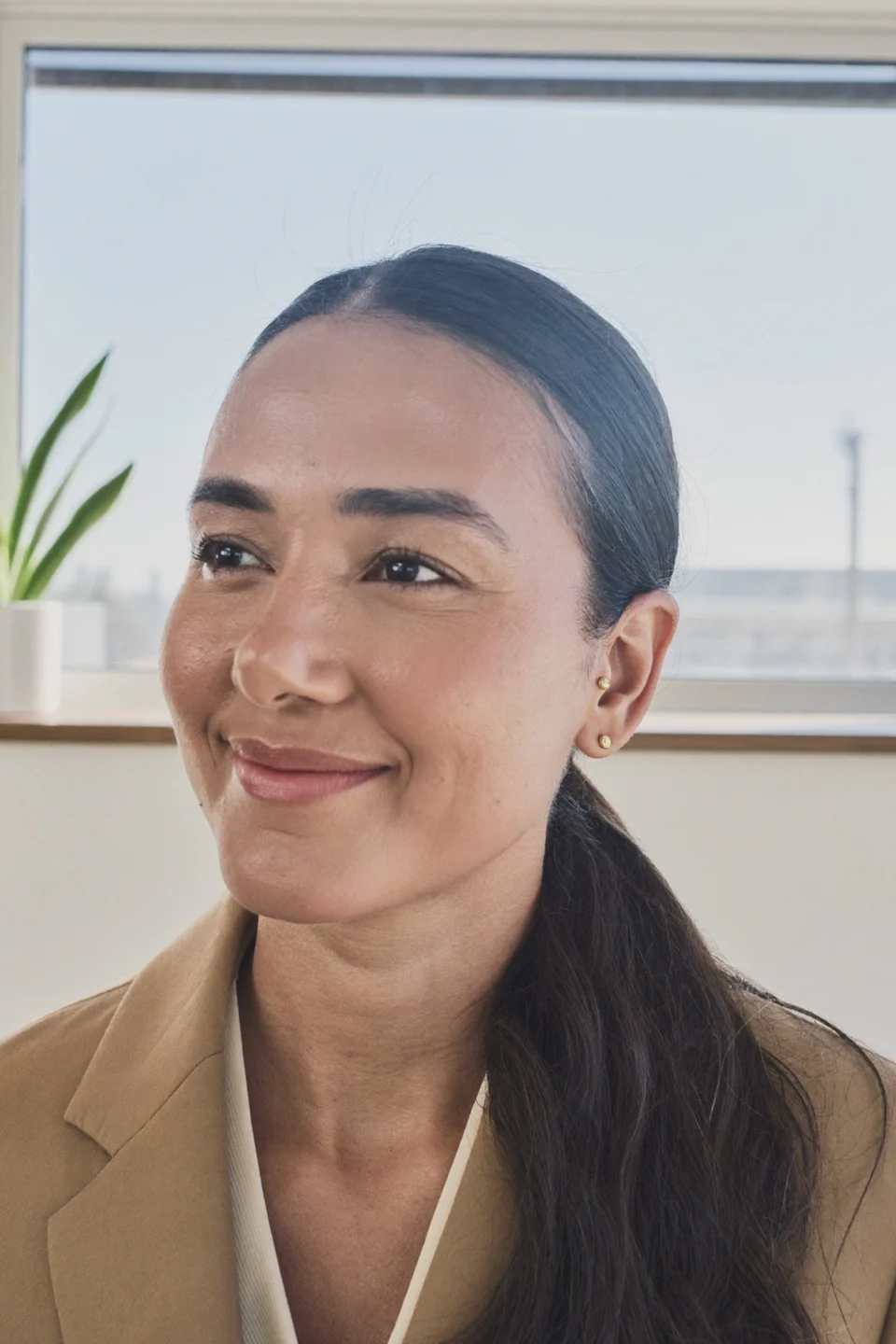
Jordan L.Operations director, four offices By hourfor all four officesThe call report splits every office by hour. That's how we saw two desks needed a second person at lunch.


Common questions
Before you switch your phones
Try a word like voicemail, desk phones or tracking.
6 questions
Does our phone number change?
No. We move your current number over to us, so patients keep calling the number they already have saved.
Do we need new phones?
Not always. Desk phones that support SIP are reconfigured for our lines, and calls also ring any computer and the app on staff phones. Older handsets without SIP need replacing; we check yours on the first call.
What does a missed caller get?
Within seconds, your office line sends them a text. They write back what they need, and the message waits in the inbox for your front desk.
Can calls go elsewhere after hours?
Yes. You set the hours. Lunch calls can ring whoever covers in the staff app; after hours, pressing 1 rings your on-call phone.
Will we know which ad made the phone ring?
Yes. The call report sorts calls by source each month: each Google and Facebook ad, your Google listing and your website. It shows you which campaigns earn their budget.
Will our phones go down?
No. Your current lines keep working until your number finishes moving over to us.
Popular searches
More questions?
Email Lauren at sales@flossbooked.com about keeping your number, your desk phones or how calls get routed.
Lauren PierceAccount manager
Request a demo