

Software for dental offices
Tomorrow's patients
confirm by text tonightPatients confirm by text tonight
FlossBooked is dental office software for US practices, and it runs beside the practice software you keep: reminder texts patients confirm with one reply, payments, online booking, business phones and forms, each one configured by our team.
- Each patient confirms with a one-letter reply
- Your number on every text
- Your practice software stays put


Live in 14 daysMonth to month, no setup fee
- Linked to your practice software
- Online booking
- Missed-call text back
- Review requests
- Two-way texting
- After-hours AI receptionist
Confirmations and reminders
Confirming tomorrow without calling down the list
Around 3 p.m., the desk picks up the phone and works through tomorrow's patients in the gaps between check-ins. Voicemail, voicemail, a mailbox that's full. Anyone who never rings back keeps their slot, and the chair waits to find out. With FlossBooked, every patient gets a reminder from the office line they already know and confirms with a single reply. Whoever stays quiet gets a second text, then a spot on a short call list.

- Confirmation calls
- Voicemail
- The printed list
- One-reply confirmations
- Your office line
- Unconfirmed patients flagged
The software
The screens the desk keeps open all day
Every tab below links to its full page. All of them read from the same patient record, so Shannon's texts, calls, bookings and payments sit on one screen at the desk.
FlossBooked · Schedule · new patient exams

What the patient taps

Patients book the right visit
A new patient picks an exam on your website or in Google Maps at 10 p.m. The rules you set decide its length, the dentist and the deposit.
See online schedulingFlossBooked · Calls · today's call log

In the staff app

The caller's record opens first
Line two rings and the desk sees the caller's name and record before answering. Any call the desk can't reach starts a text conversation with that caller.
See phonesFlossBooked · Reviews

The text after checkout

Review requests
Each patient leaving checkout is asked by text to rate the visit on Google. Every review then gets a written reply from our team for the office.
See reviewsFlossBooked · Notes · today's visits

The draft, ready to review

Notes drafted
While you work on the crown prep, AI clinical notes turn the conversation in the room into a draft. You check it between patients and pass it to your practice software.
See AI clinical notesFlossBooked · Payments · open balances this week

Paying from a phone

Balances paid by text
The desk texts a balance and the patient pays by card or digital wallet. Patients without insurance join your membership plan online.
FlossBooked · Reports

The monthly report

Sources
Which ad, Google listing or web page brought each new patient this month, and the calls behind them.
See reportingFlossBooked · Recall · due this month

The recall text

Recall
Patients past their cleaning date get a text that opens your hygiene times.
See patient communicationsThe calls and texts after you close
Three times the office was closed, and what each patient got back on their phone.
2 replies waiting· Desk back at 8 a.m.
6:10 p.m.· Missed call
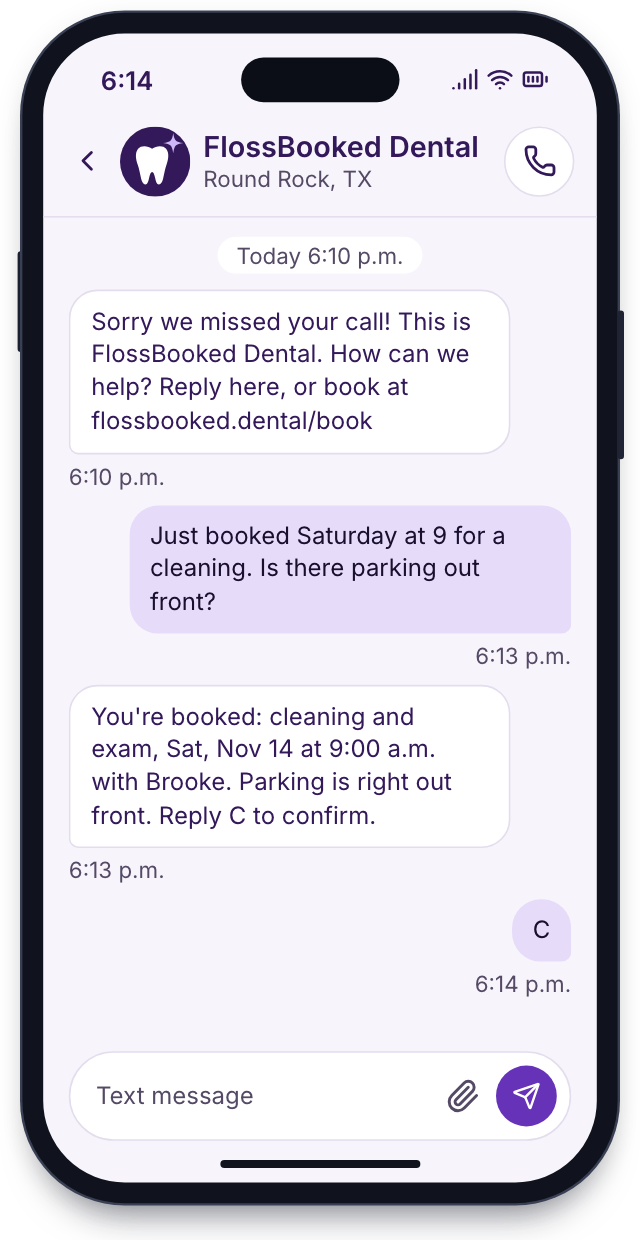
Missed calls
The office phone rings after closing with nobody there to answer. Moments later the caller has a text with the link to book online and picks Saturday at 9.
9:40 p.m.· Implant question
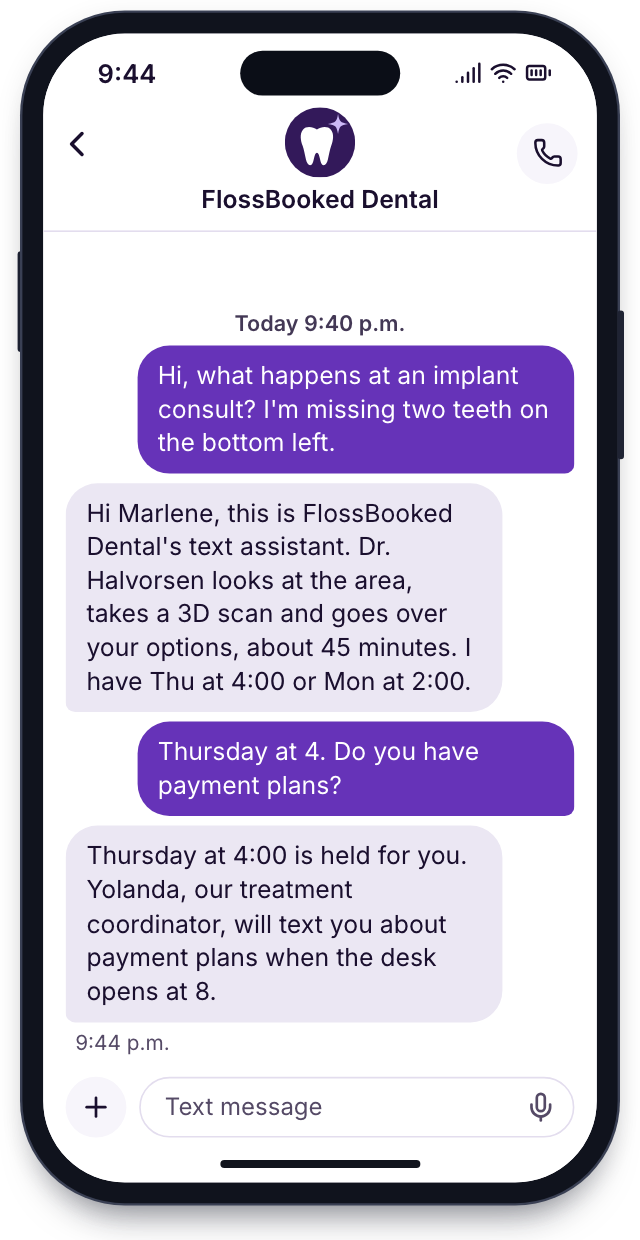
Questions answered by text
A patient texts to ask what an implant consult involves. The AI text agent answers, offers two consult times and leaves the thread for your desk.
7:05 p.m.· After a cleaning
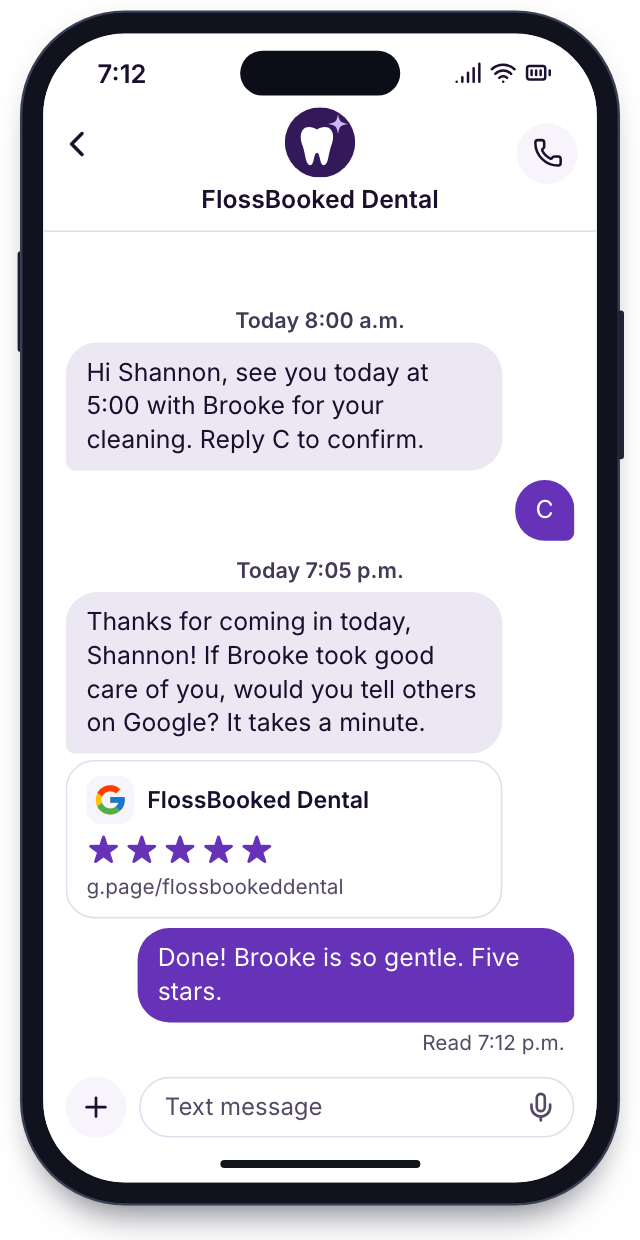
Review requests
Shannon's cleaning ends at 6. An hour later a text with a Google link arrives, and our team answers what gets posted.


Setup
Setup takes us two weeks
All the setup work sits with us. Your front desk learns it on one training call, and your current practice software stays.
We learn your office
We go over your visit types, phone lines, forms and the texts you send now, and agree on a go-live date.
A call with your office manager
We build it
We link your practice software, bring your patient list across, rebuild your forms and write your reminder texts.
Our team builds it while you keep working
Your front desk learns it
We train the desk on the inbox, the phones and the schedule, using your own visit types. Your hygienists see the recall list, and your office manager sees the reports and the payments screen.
Training on your own patients
Patients get their first reminders
Reminders start reaching patients on day 14, and your account manager checks the first replies alongside you.
Day 14, the first texts leave
Setup costs nothing extra
Your setup checklist
Live by day 14
9 of 28 done
1We learn your officeDoneIn progressUp next
- First call with whoever runs the office
- Visit types, lengths and dentists listed
- Phone numbers, hours and lunch closures listed
- Current forms collected
- Reminder and recall timing chosen
- Google listing and ad accounts shared with our team
- Launch day picked
2We build itDoneIn progressUp next
- Practice software connected both ways
- Patients brought across from practice software
- Office number kept and connected
- Medical history rebuilt online
- Consent forms rebuilt
- Reminder, confirmation and recall texts written in English and Spanish
- Booking rules set for each visit type
- Book online button added to your Google listing
3Your front desk learns itDoneIn progressUp next
- Front desk training call
- Inbox and saved replies ready
- Phones tested
- Hygienists shown the recall list and next month's overdue patients
- Text-to-pay tried on a test balance
- Membership plans priced and listed
- Office manager shown the monthly report and where new patients came from
4Patients get their first remindersDoneIn progressUp next
- First reminders sent
- Confirmations checked together
- Review requests on for each day's patients, answered by our team
- AI receptionist taking evening calls
- First week reviewed together
- You're live
Bring us your schedule
Bring a typical day: your visit types, your phone lines, the forms at the counter. On the call you see each of them working in FlossBooked. Every plan carries the whole thing, starting at $97 a month.


Said after the huddle

Dr. Nathan P.Owner dentist, Cedar Hill On timefirst visits startedNew patients book, confirm and fill in their history before I ever meet them. First visits start on time.
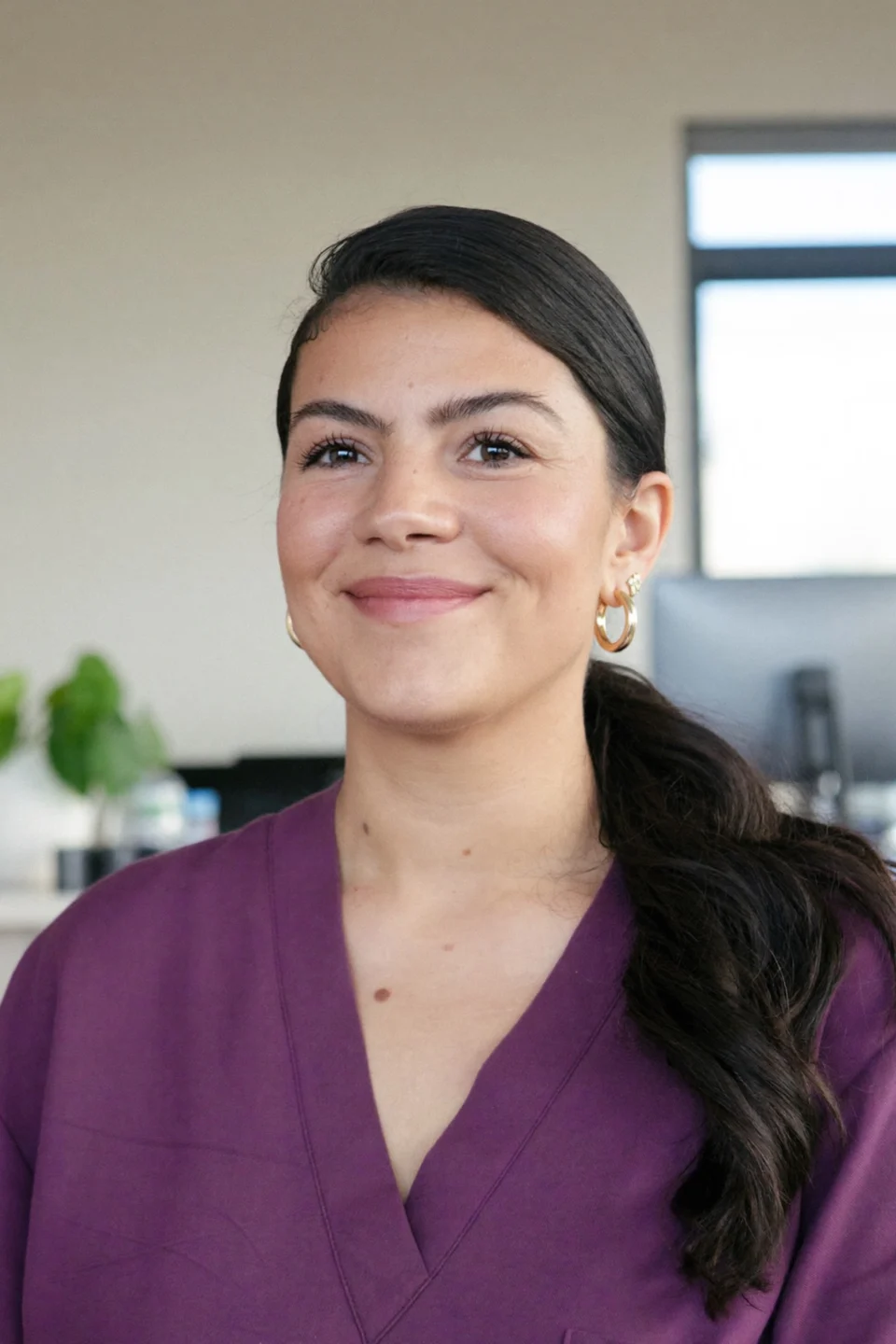
Lucia M.Front desk lead, Brightwater One inboxfor calls and textsCalls, texts and Facebook messages come into the same inbox now. I answer a patient's text while the phone rings, without leaving the counter.

Dr. Andre K.Associate dentist, Elmwood Between patientsnotes doneMy note is drafted by the time the next patient sits down. I read it, change a line and send it.

Tanya R.Office manager, Maple Grove 1 billinstead of five subscriptionsThe software, the site and the ad work come on a single bill. Four other subscriptions got cancelled within weeks.

Marco S.Hygienist, Northgate Before checkoutopenings rebookedSlow days used to mean going home early. Now the desk texts the ASAP list and my opening is booked before my patient leaves.

Jordan L.Operations director, four offices 4 officeson one monthly reportAll four offices send the same reminders and forms, and I see each office's new patients by source on one report.


Common questions
Asked by office managers
Search for price, setup or the staff app, for example.
8 questions
Does it replace our practice software?
No. It works beside your practice software and links to it in both directions. Compatible Software lists each system, and our team connects yours at setup.
One login or several?
One. It covers the texts, phones, booking, payments and forms your desk works in.
How much is it?
One person logging in is $97 a month; two to five people, $197; six to ten, $297; eleven or more, contact us. The smallest plan gets the same features as the largest. Month to month, no setup fee, live in 14 days.
Do we need new phones?
Not always. Your office keeps its number. Desk phones that support SIP stay on the desk, and calls also ring computers and the staff app. We check your handsets on the first call.
Will the AI receptionist answer before our front desk does?
No. Your desk still picks up first, and the AI receptionist covers the second line, lunch and evenings, then leaves the desk a summary.
Is there a staff app?
Yes, on iPhone and Android. Calls, texts and the schedule all open in it.
Can patients text us back?
Yes. Every reply shows up at the front desk.
Any setup fee?
No. Importing your patients, rebuilding your forms and training the desk all sit inside the monthly price.
Popular searches
Another question?
Email Lauren at sales@flossbooked.com about your practice software, your phones or anything on this page.
Lauren PierceAccount manager
Request a demo